Press kit
KeyFu press kit
KeyFu is a piano practice app for iPhone and iPad that plans what you practice next on a digital piano or MIDI keyboard. Here are its facts, logo and screenshots.
ZIP · 4.3 MB · text, logo, app icon and 8 screenshots
Free to use in coverage of KeyFu. Questions go to [email protected].
Boilerplate · about 100 words
About KeyFu
KeyFu is a piano practice app for iPhone and iPad, for people who play without sheet music. It listens to digital pianos and MIDI keyboards over USB or Bluetooth MIDI.
Its coach, named KeyFu, plans what you practice next: technique, chords that make sense, and playing freely without notes to follow.
He fits the plan to your time, your goal in your own words and what your hands played. When he changes it, he says why.
Pick any key, play any exercise, or save a ready-made routine as your own.
Practice with purpose. Play with freedom.
KeyFu is free during the beta. Fair pricing at launch — core practice stays free.
Facts
Three facts about KeyFu
It plans around you
Sessions fit your minutes and your goal. If an exercise is too much at its usual tempo today, it starts at its slowest, and the coach says why.
You pick the key and the exercise
Pick the key yourself, such as C major or A minor, or leave it to the coach. Play any exercise in the library, and hear it first.
No sheet music to read
Notes scroll toward a cyan line, like a piano roll in music software, and wait until each chord is down. In Play freely, nothing you play can be wrong.
Founder
Why KeyFu exists

I built KeyFu because playing along and memorizing never made me a better player. It trains real skills you can use every time you play.
At a glance
Quick facts
- Platform
- iPhone and iPad, iOS or iPadOS 18 or later
- Status
- Free beta. Invitations go out in small waves.
- Pricing
- Free during the beta. Fair pricing at launch — core practice stays free.
- Input
- A digital piano or MIDI keyboard, over USB or Bluetooth MIDI, 25 to 88 keys
- Coach
- One coach in the app, named KeyFu: software, not a human teacher
- Language
- English
- Website
- keyfu.app
- Contact
- [email protected]
More detail: how the coach plans your practice, how KeyFu adapts to you, and the full KeyFu app manual.
Screenshots
Real screenshots from the app
8 captures from the running app, as full-resolution PNG. Nothing in them is drawn or mocked up.
iPhone
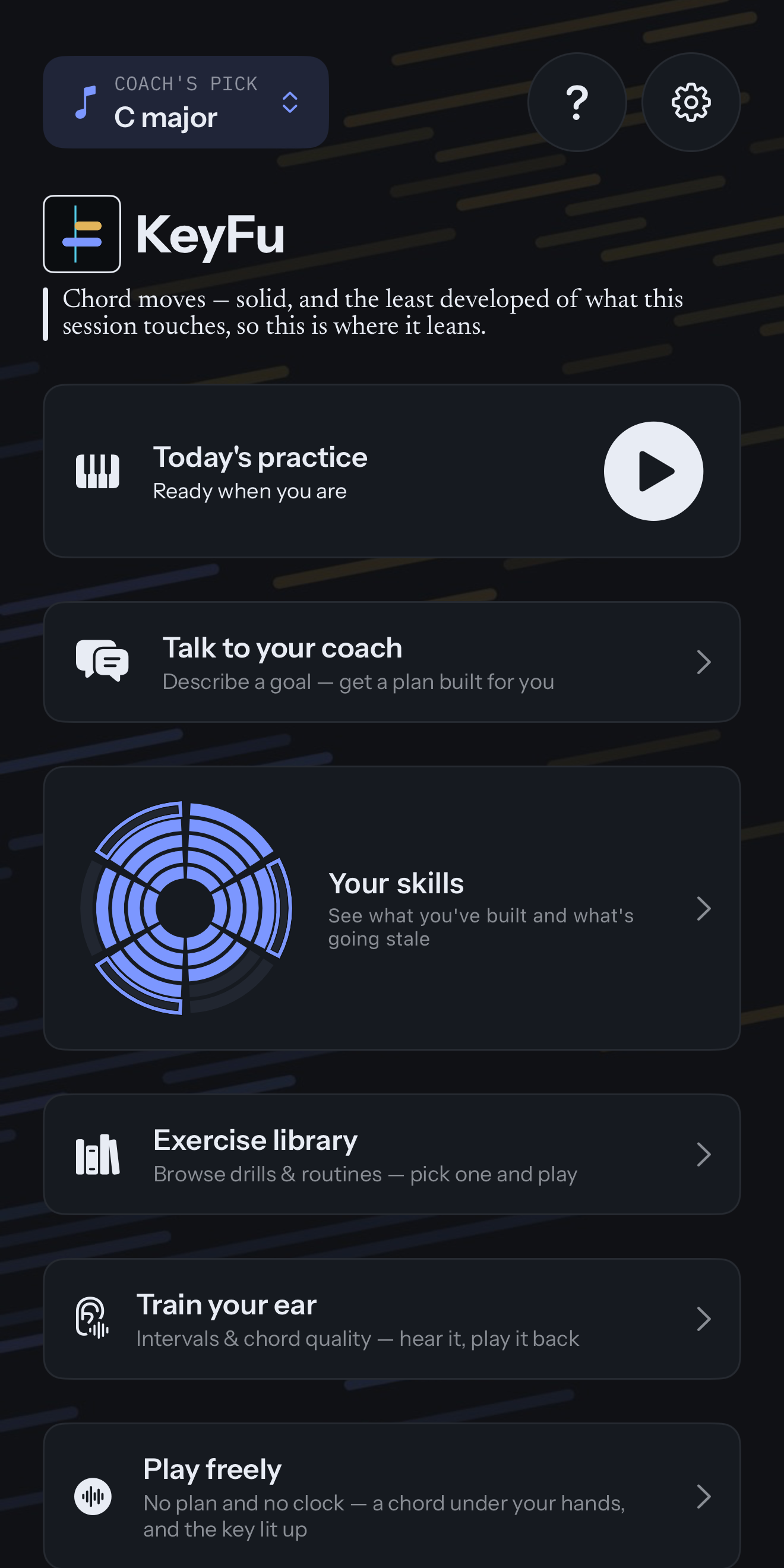
The dashboard
Today's key, the coach's line about today, and the doors to practice, coach, skills, library, ear training and Play freely.
Download PNG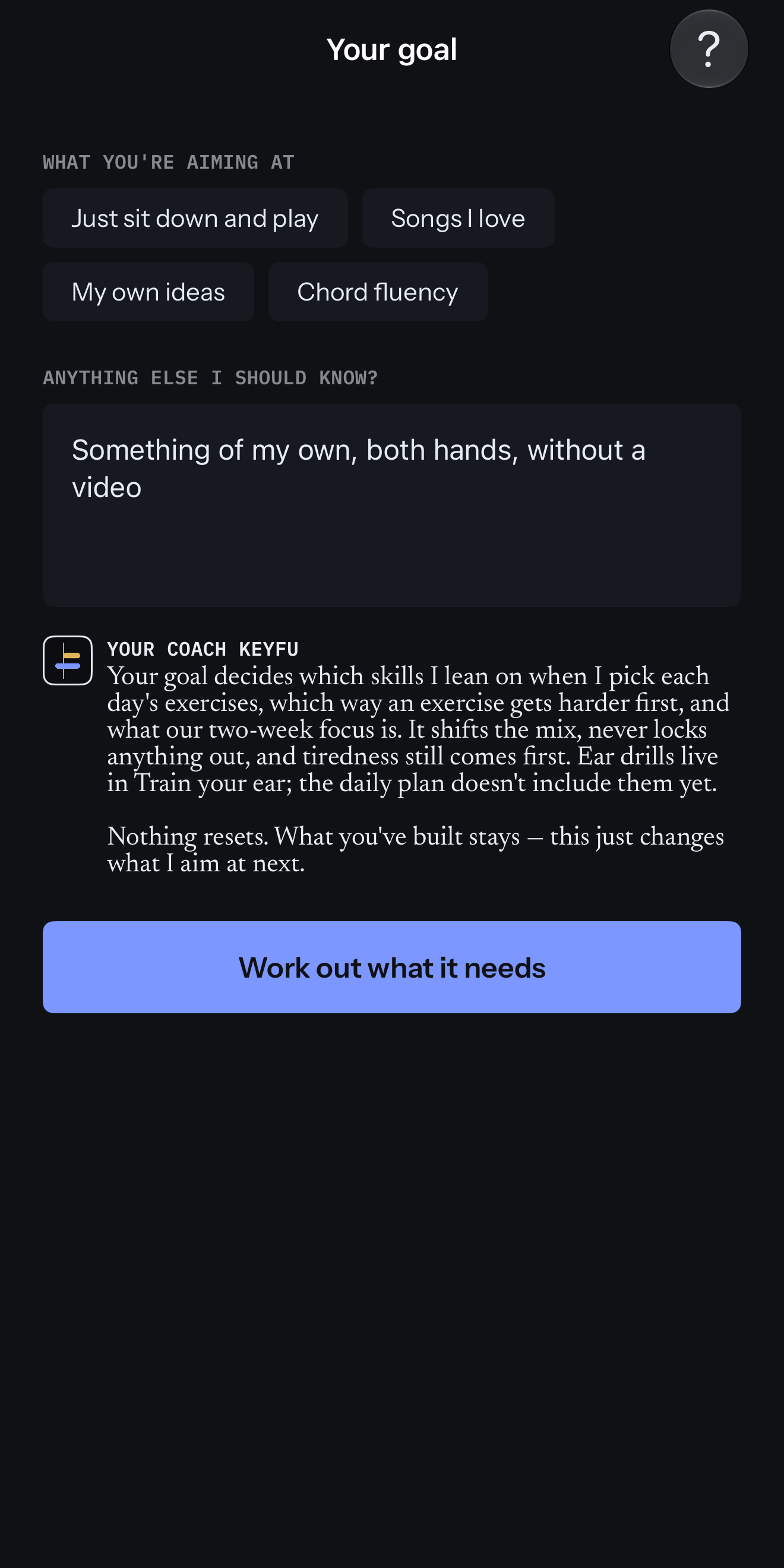
A goal in your own words
Four ready-made goals, a goal typed in the player’s own words, and the coach saying what it changes.
Download PNG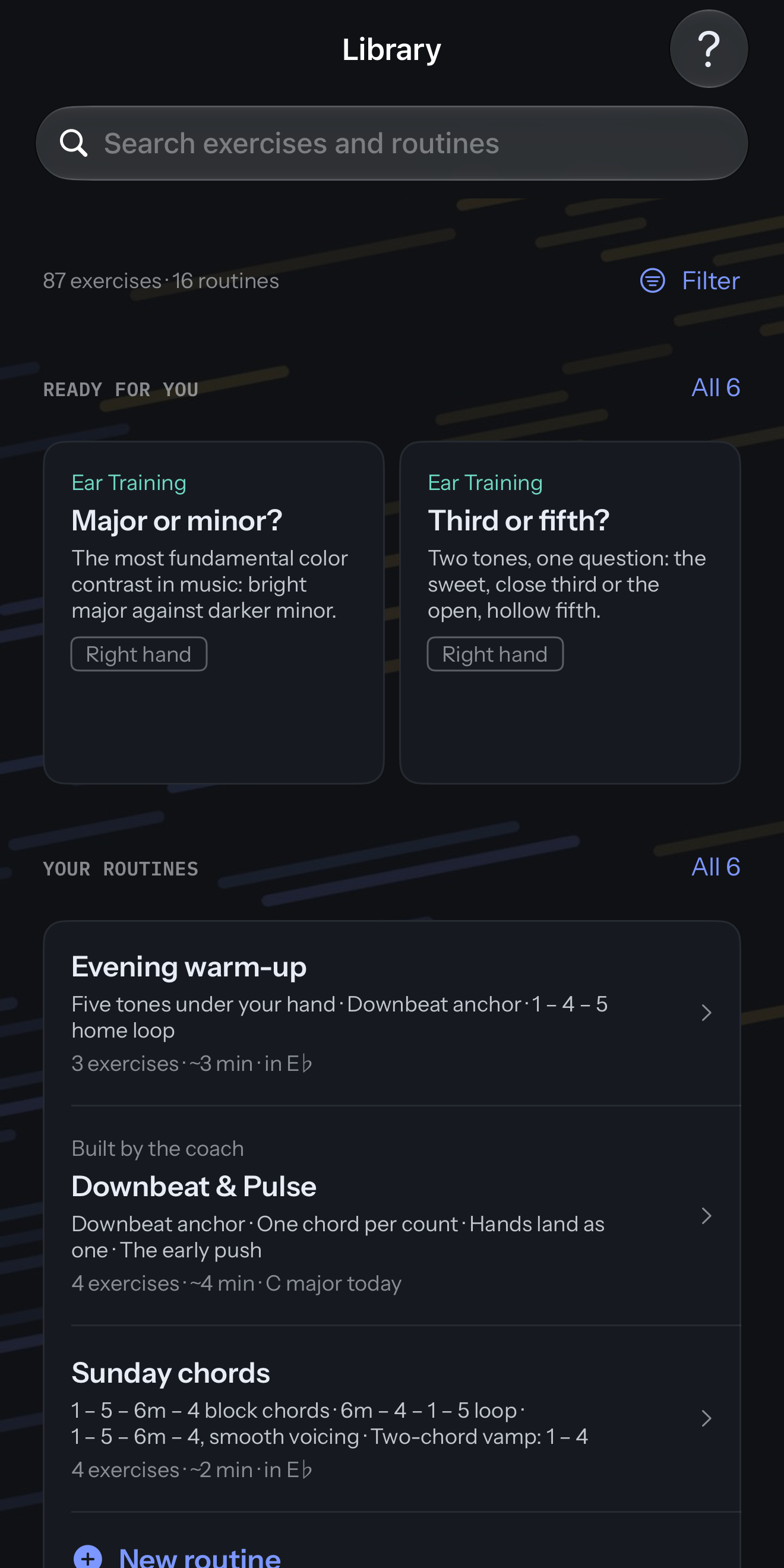
The exercise library
Every exercise and routine in one place: exercises that could fit next, your own routines, and routines the coach built.
Download PNG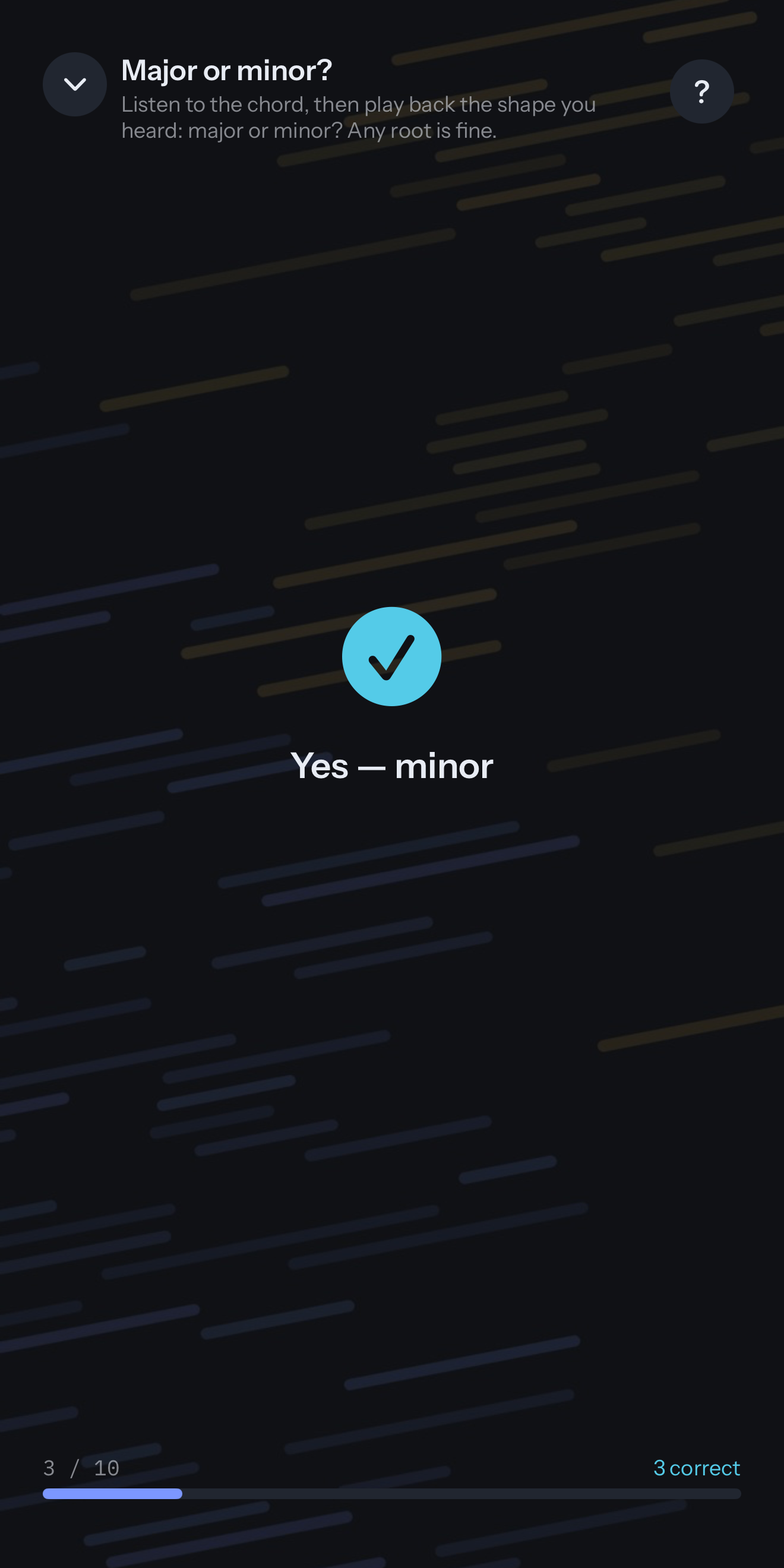
Ear training
Hear a chord, then play back what you heard on your keyboard, from any root.
Download PNG


iPad
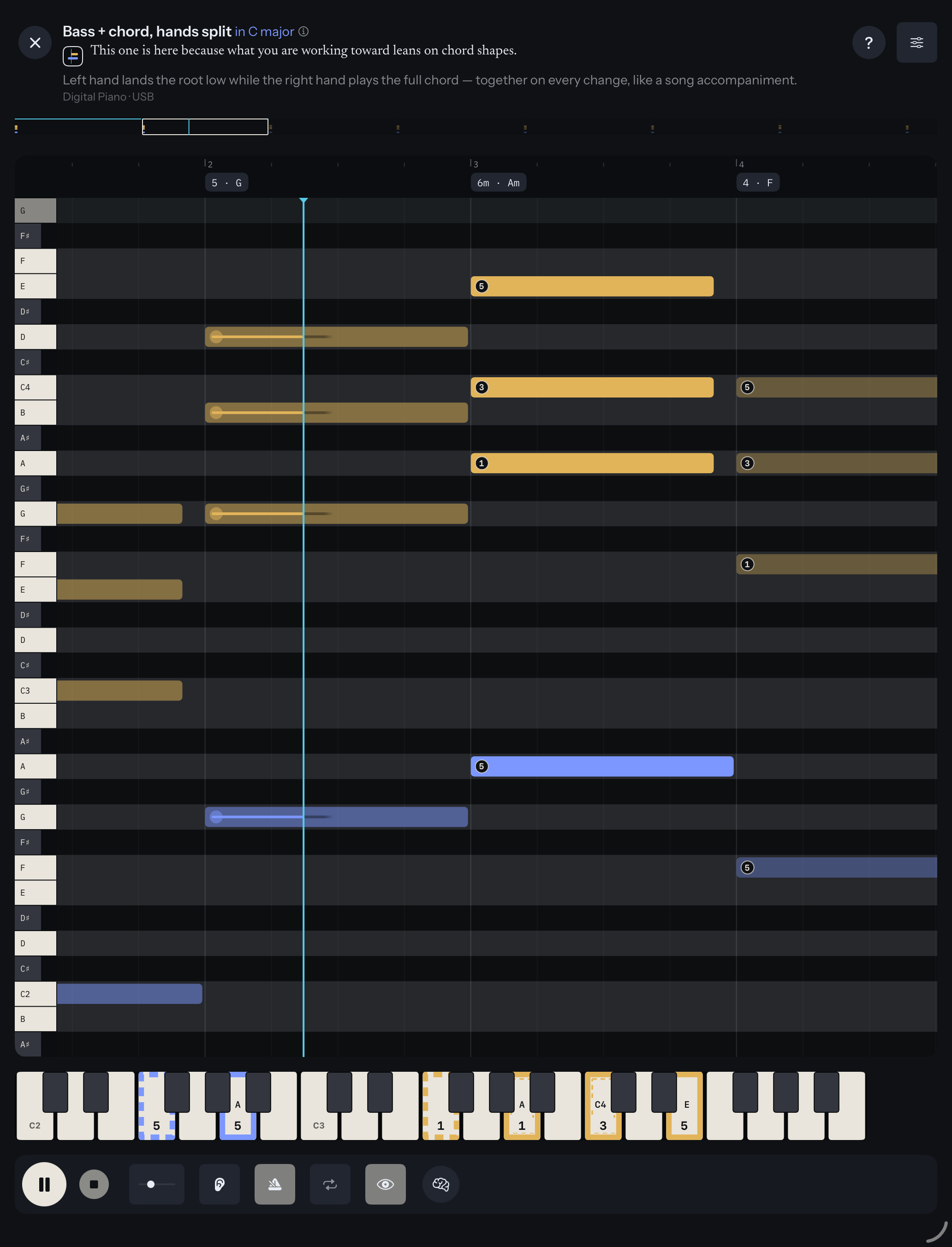
The practice roll
Bass in the left hand, chords in the right: notes move toward the cyan line, with each chord named by number and name.
Download PNG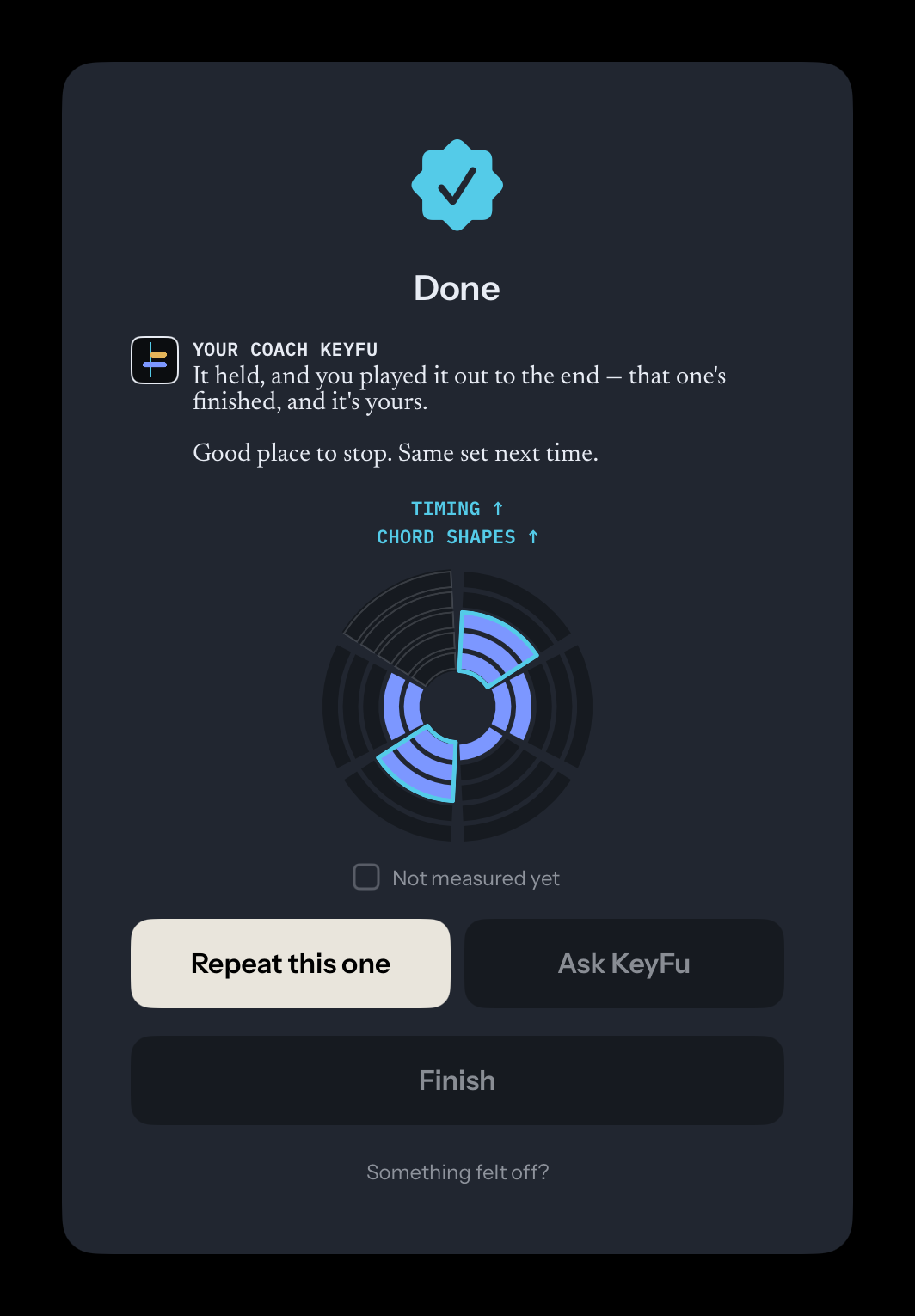
The coach says why
After an exercise, the coach says how it went and what comes next, and the skills that grew light up.
Download PNG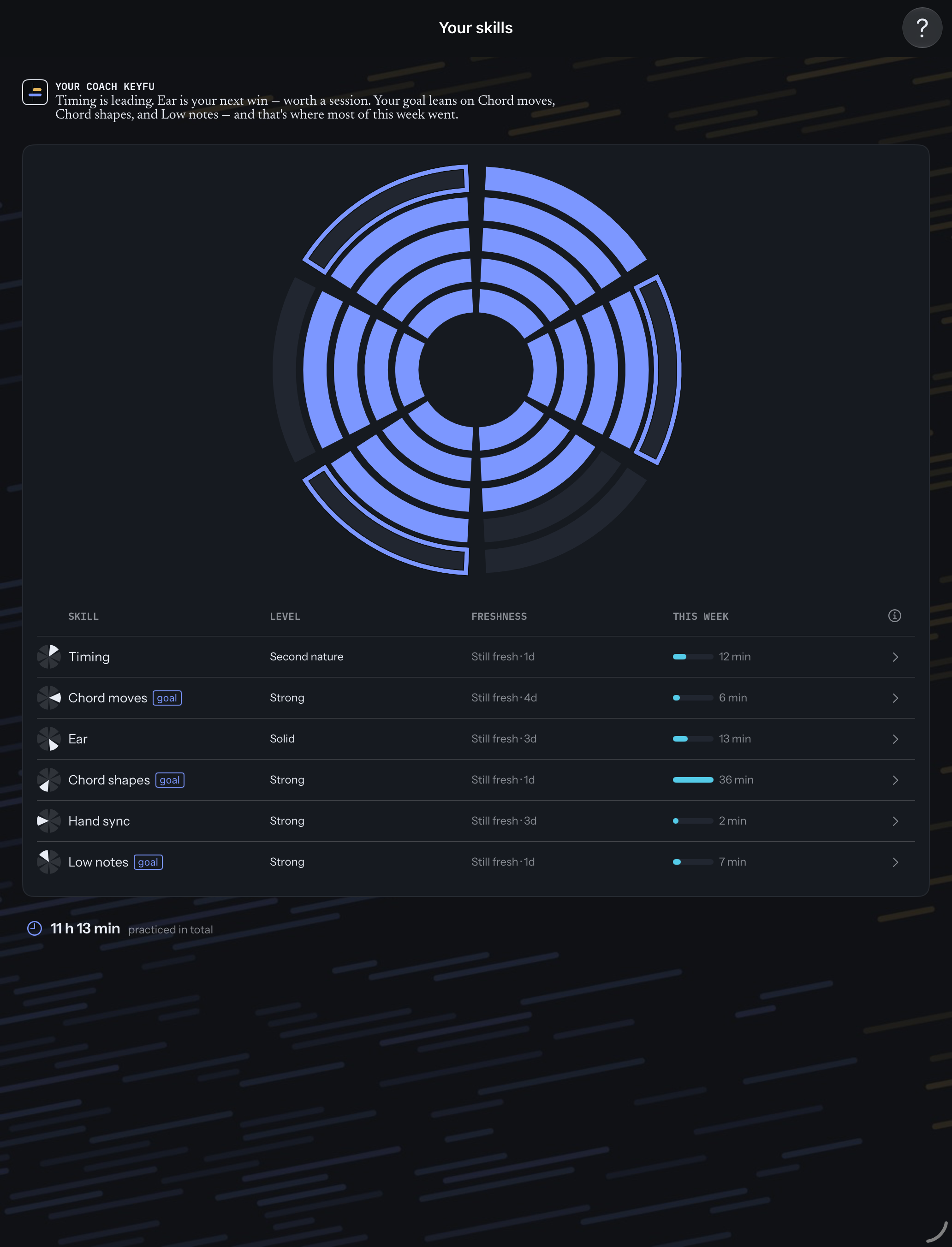
Six skills and your goal
The skill wheel, with rings on the skills the goal leans on, and where this week’s practice went.
Download PNG
Your own routine
A copy of a ready-made routine, open to change in the routine builder, part of KeyFu Pro.
Download PNG


Logo
Logo and app icon
The wordmark is light, made for dark backgrounds. Use each file as it is.
App icon
The app icon at 1024 × 1024. iOS rounds the corners itself.
Download PNG
Wordmark on dark
The mark and the name on the KeyFu ground color.
Download PNG
Wordmark, vector
Light lettering on a transparent background, for dark layouts.
Download SVG
Mark, vector
The mark alone: a gold and a blue note meeting the cyan line.
Download SVG
Contact
Write to KeyFu
For questions, or a closer look at one part of the app, write to the address below.
Made by KeyFu in the EU.
To try KeyFu yourself, join the beta.